Learn metres before numbers
At home or in an unobstructed space, measure two, three and five metres. Look at those distances from camera height. Guess, check, repeat. On the street, you need a usable sense of where someone is, not a supernatural ability to read the little scale.
A zone is a range that appears acceptably sharp under a chosen viewing condition. It is not a slab of perfect focus. Enlarge a file enough and the generous margin may stop looking generous. Decide whether you are making a small print, a screen sequence or a large exhibition print.
A moving shape against a steady one
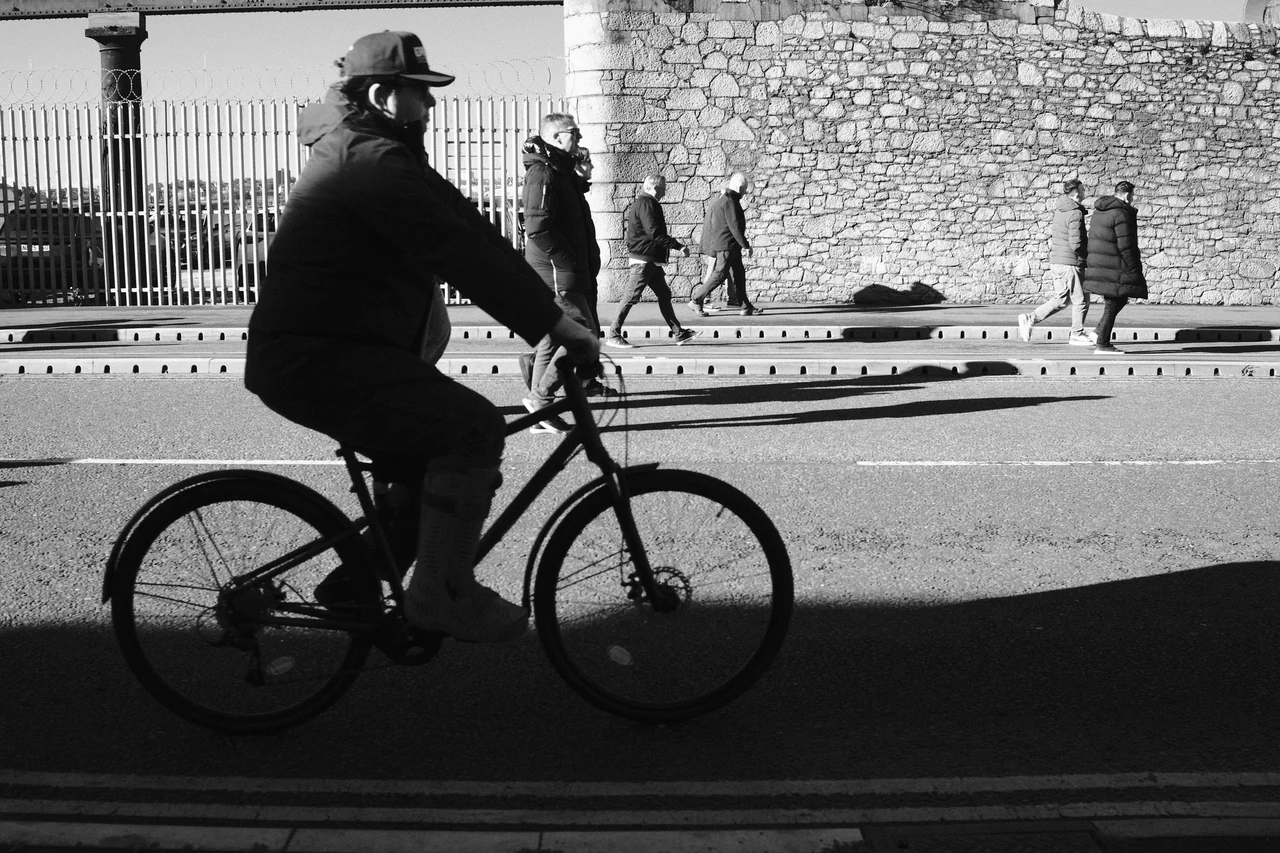
The cyclist occupies the dark foreground while the sunlit wall supplies a broad, textured backing. The wheels and the body form a shape you can recognise quickly. Read the silhouette first, then the smaller figures along the wall. The second look brings another scale into the photograph.
Cyclist by the Dock Wall · Photograph © Mark C GrantTry one combination
For a conventional full-frame estimate, a 35mm lens at f/8 focused at three metres gives roughly 1.90 to 7.09 metres with a 0.030mm circle of confusion. This is an optical calculation, not a measured promise about your lens or photograph. Use the Notebook calculator and test the boundaries yourself.
Use actual focal length. A 23mm lens on APS-C is entered as 23mm with the APS-C criterion, not as its roughly equivalent full-frame angle of view. Change one variable at a time so you understand what made the zone wider or narrower.
Separate silhouettes
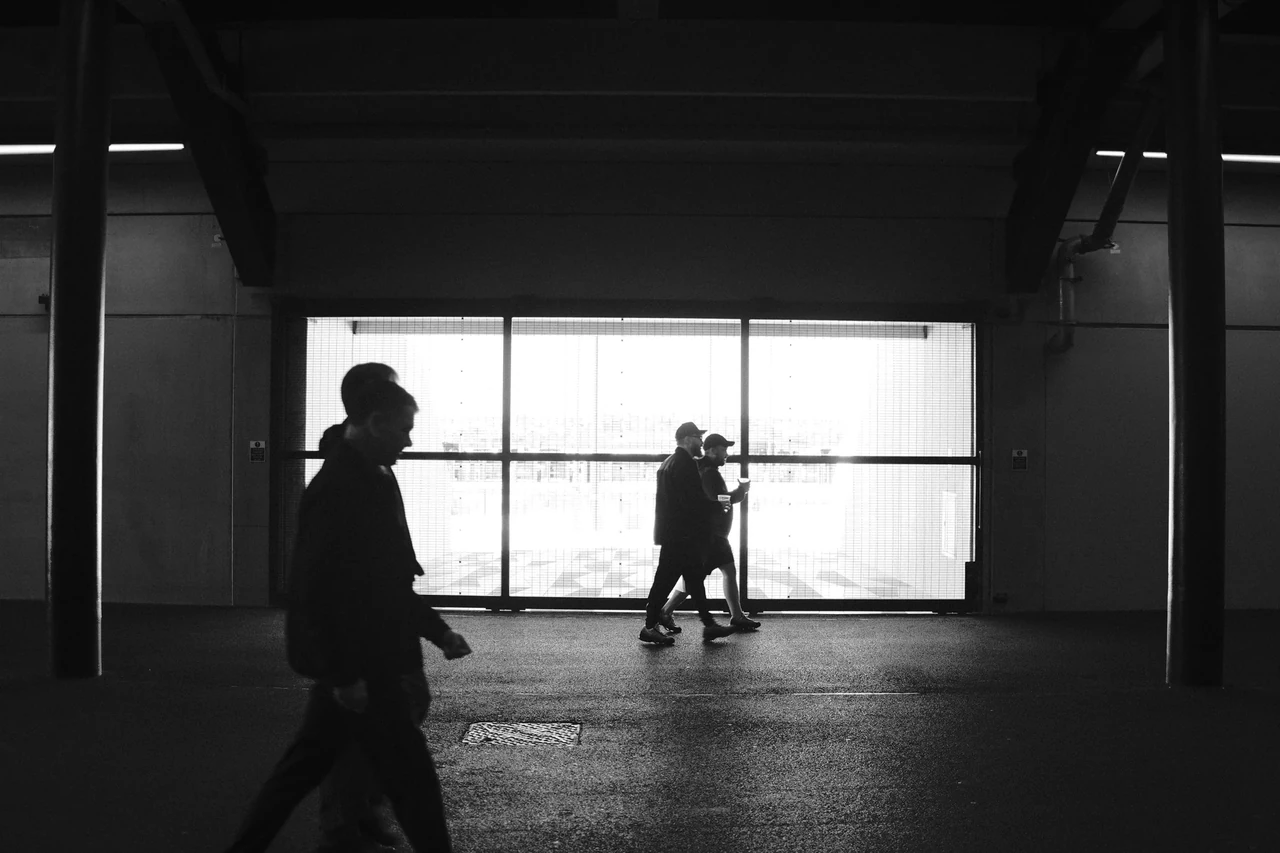
The bright opening gives the figures a clear background. The foreground silhouette and the smaller people beyond sit on different planes. Look at the space around each outline. When two silhouettes touch, separate bodies can become one difficult shape; a tiny change in timing can matter.
Figures against the Light, Bramley Moore · Photograph © Mark C GrantWatch, then try
How to Master Zone Focusing on a Leica, Film Camera, Rangefinder, or Manual Lens

Watch how the distance and aperture scales work together. Set a modest working zone, then test its near and far limits on your own files at the size you actually use.
Let the photograph come into range
Find a background with light you can use, then choose a position that leaves the pavement clear. Pre-focus on your planned distance and watch for relationships. Do not keep readjusting focus simply because a person exists somewhere outside the zone.
Make frames at the near edge, middle and far edge of your estimated range using willing companions or static objects first. View all three at the same output size. If the near edge disappoints, leave a larger margin. Real practice is allowed to disagree with a tidy calculator.
Light is part of the bargain
A smaller aperture may increase useful depth of field but requires a longer exposure or higher ISO for the same brightness. A pedestrian can blur while standing neatly inside your focus zone. Stabilisation, where present, does not freeze the pedestrian.
In dim conditions, change the plan: focus more precisely, allow a higher ISO, work with still subjects or accept deliberate movement. Do not hold on to a favourite aperture while the rest of the picture falls apart. Zone focus is a useful option, not a membership test.
Watch, then try
Take Better Photos Episode 4 - Depth of Field

Notice which choices change the appearance of sharpness. Test a nearby subject and its background instead of treating a depth-of-field scale as a guarantee.
Review your photographs
- Can you estimate your chosen distance without the camera?
- Did the practical zone match your output needs?
- Did you separate motion misses from distance misses?
If it is not working yet
A zone that looks good as a thumbnail may fail in a large print. Narrow the working range, stop down if light allows, or focus individually.
Practical guidance from Captured Moment. Starting points to test in your own work, not universal camera settings.
Take this to the discussion.
A question, an example, a picture that proves us wrong. Specific beats loud.
Open the conversation ↗