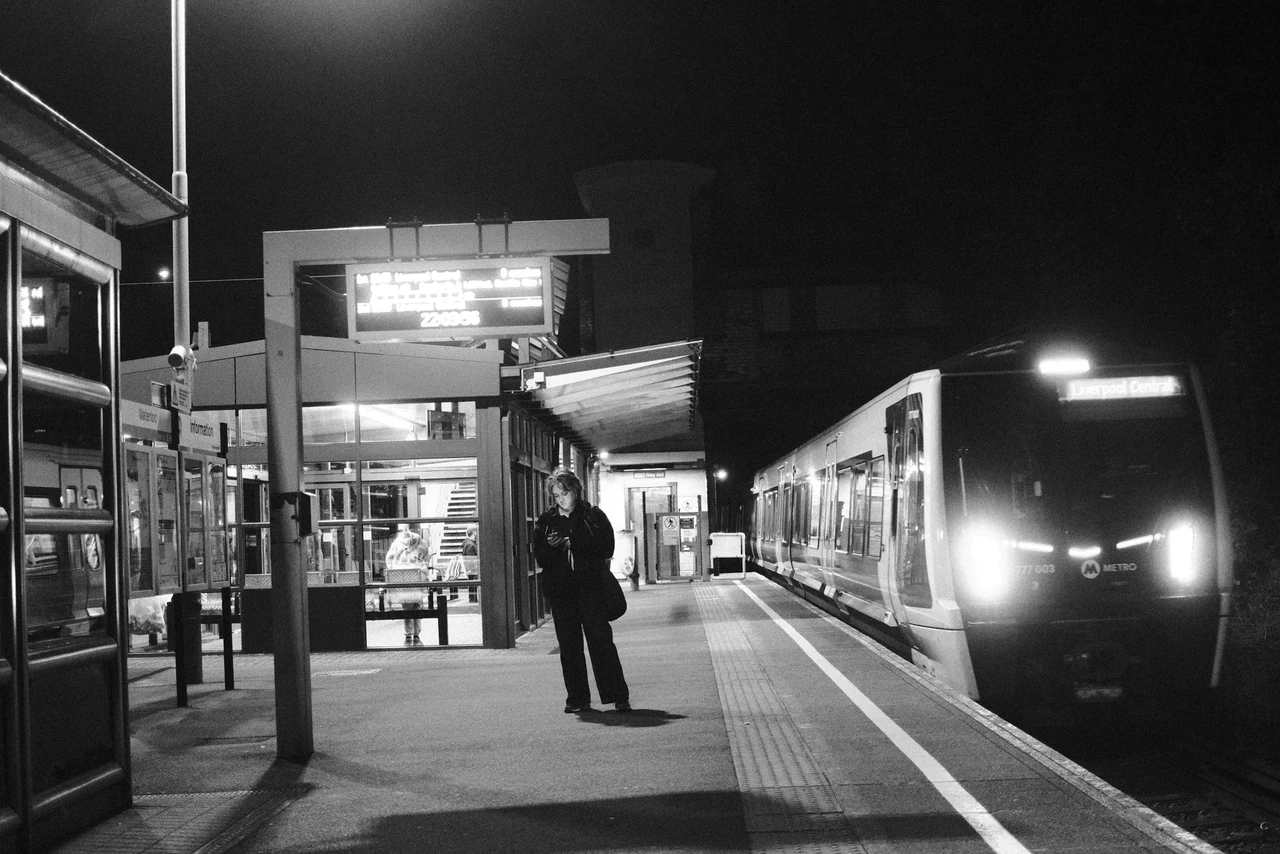
Decide what the frame needs first
If a walking gesture must read sharply, begin with a relatively fast shutter such as 1/500 second in adequate light. This is a starting experiment, not a universal street setting. Subject speed, distance, direction and your own movement all matter.
If the picture is about movement, try a slower exposure and give the eye something stationary to compare it with. A blurred body against a legible street can say something different from a frame where everything accidentally dissolves. Look at the example before hunting for a guessed shutter speed.
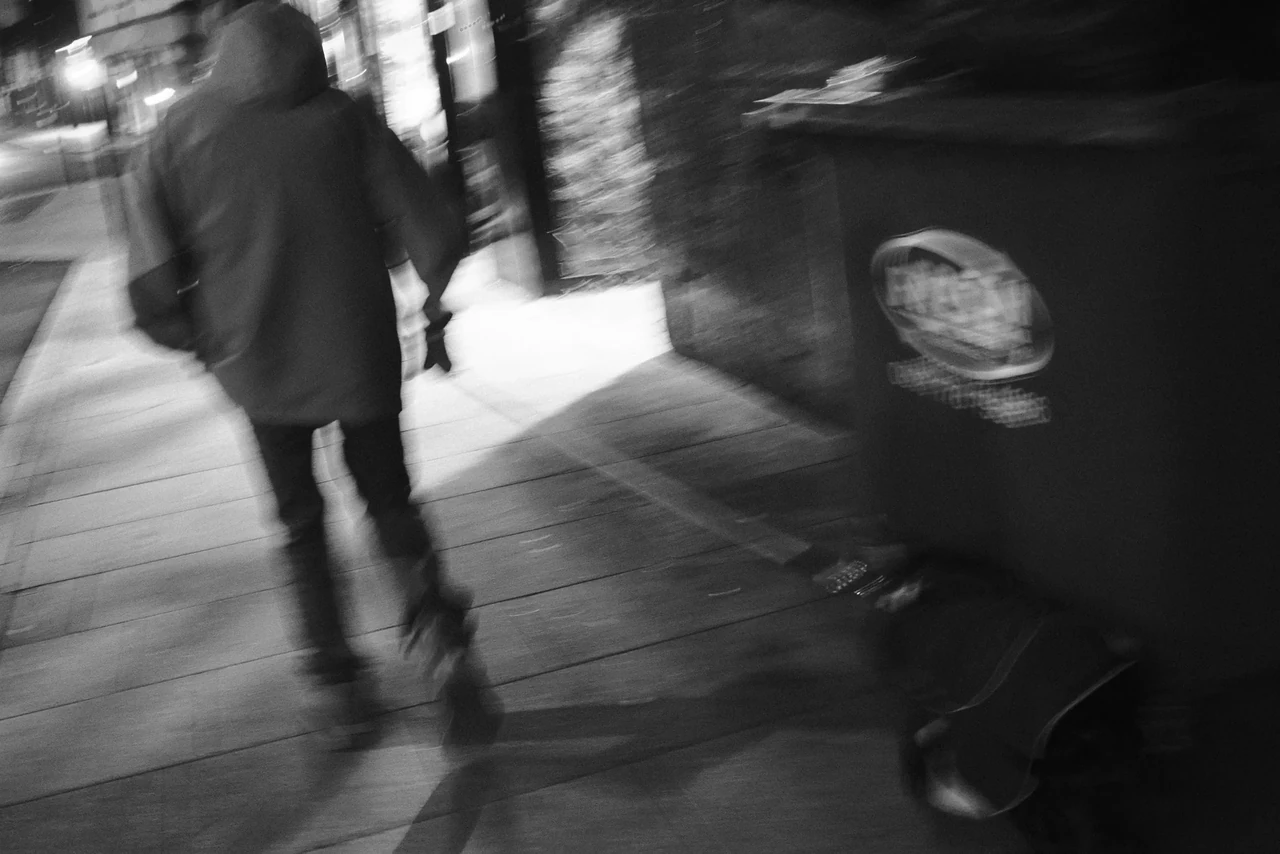
Movement becomes a shape
The pedestrian is softened into movement, while the street furniture supplies a more fixed reference. The useful question is what remains legible: direction, mass and the relationship between moving and stationary forms. A guessed shutter speed would add less than actually looking at those edges.
Passing in a Blur · Photograph © Mark C GrantOne stop is a trade you can measure
At fixed ISO, moving from f/8 to f/5.6 admits roughly twice the light. You can shorten an exposure from 1/250 to 1/500 second for similar recorded brightness. You have gained motion control and given up some depth of field. It is a trade, not a free improvement.
Increasing ISO can support a faster shutter at the same aperture, but it does not add photons to the exposure. Noise and dynamic-range behaviour depend on the sensor and processing. Test the settings you actually use; do not judge every camera by a frightening crop on a forum.
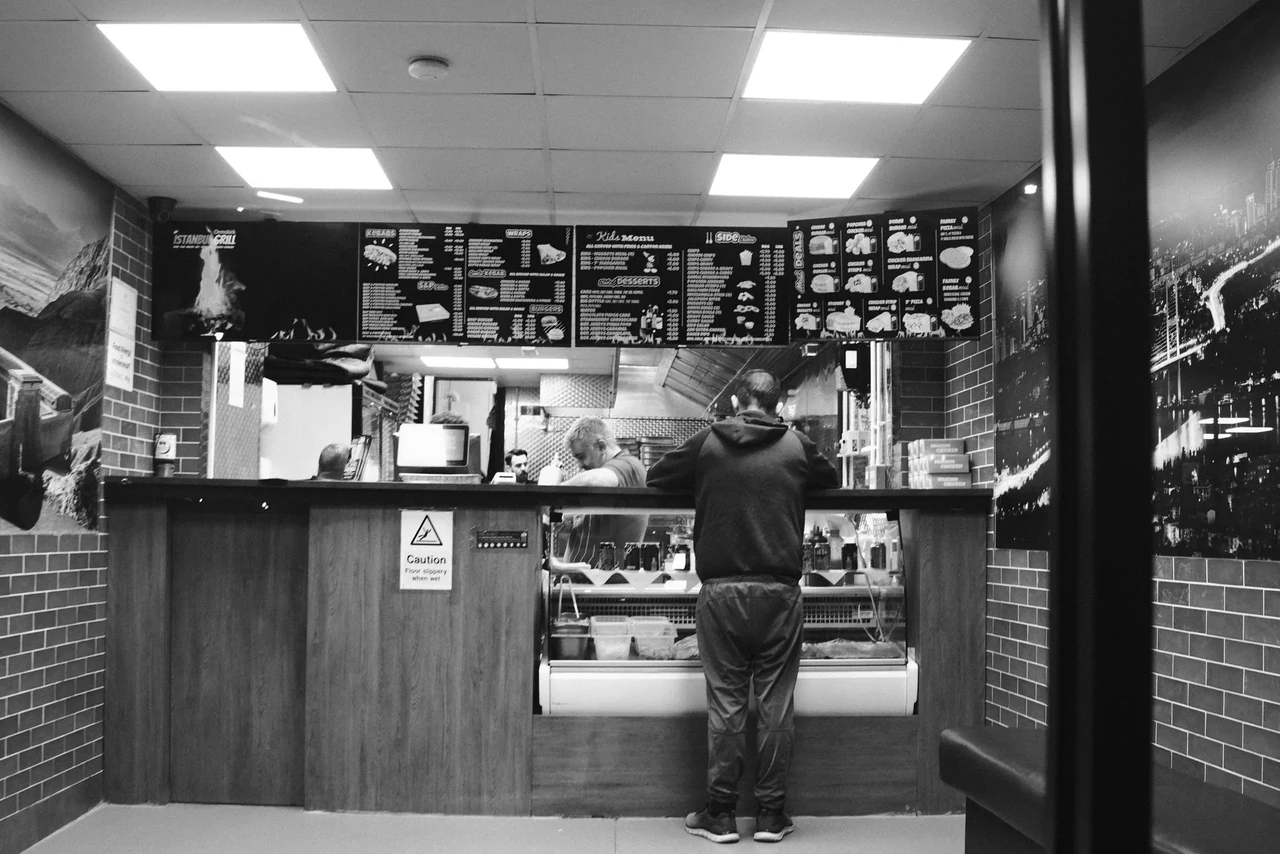
Light with somewhere to go
The illuminated counter creates a small stage. The person standing there gives that light a scale and a reason to matter. Look at the bright rectangles around them and decide which one pulls your eye first. This is a useful exercise in hierarchy, not an invitation to lift every shadow.
At the Takeaway Counter · Photograph © Mark C GrantWatch, then try
Take Better Photos Episode 2 - Shutter Speeds

Pause on the movement examples. Choose whether your own passing subject should freeze or smear before you choose the shutter speed.
Make automatic exposure answer your question
Aperture priority can be efficient if you watch the resulting shutter speed. Auto ISO with a sensible minimum shutter can help on cameras that provide it. Manual exposure can be useful when the light stays steady while bright and dark subjects pass through the same scene.
With a digital camera, inspect the histogram and highlight warning if available. JPEG previews and their histograms reflect processing settings and are not an exact map of recoverable RAW data. Check an important highlight in a test file before relying on recovery. A street lamp may clip harmlessly; a face may matter more.
Leave some night in the night
At dusk, identify the few shapes that carry the scene. Exposing for every dark surface can flatten the distinction between a lit counter and the street around it. Exposure should help the subject, not satisfy an imaginary requirement to explain every brick.
Take a short controlled sequence with a willing moving subject: one exposure intended to freeze them, one intended to blur them. Write down the settings and judge the resulting gesture. On film, work within the exposure latitude and development plan of your chosen stock; the screen-based review comes after processing.
Watch, then try
Take Better Photos: Episode 1 - Apertures

Watch for what changes besides brightness when the aperture changes. Make two frames of the same layered scene and compare whether the background helps or competes.
Watch, then try
Take Better Photos Episode 3 - ISO and Exposure

Separate a brighter preview from more light reaching the sensor. Pick the shutter speed for movement and the aperture for depth, then work out what ISO is doing.
Review your photographs
- Can you explain why you chose the shutter speed?
- Which highlight or shadow mattered to the picture?
- Was visible blur intentional and useful?
If it is not working yet
A sharp wall and blurred walker usually calls for a motion decision. A bright preview that loses important highlights calls for an exposure decision. Do not solve both by adding contrast.
Practical guidance from Captured Moment. Starting points to test in your own work, not universal camera settings.
Take this to the discussion.
A question, an example, a picture that proves us wrong. Specific beats loud.
Open the conversation ↗