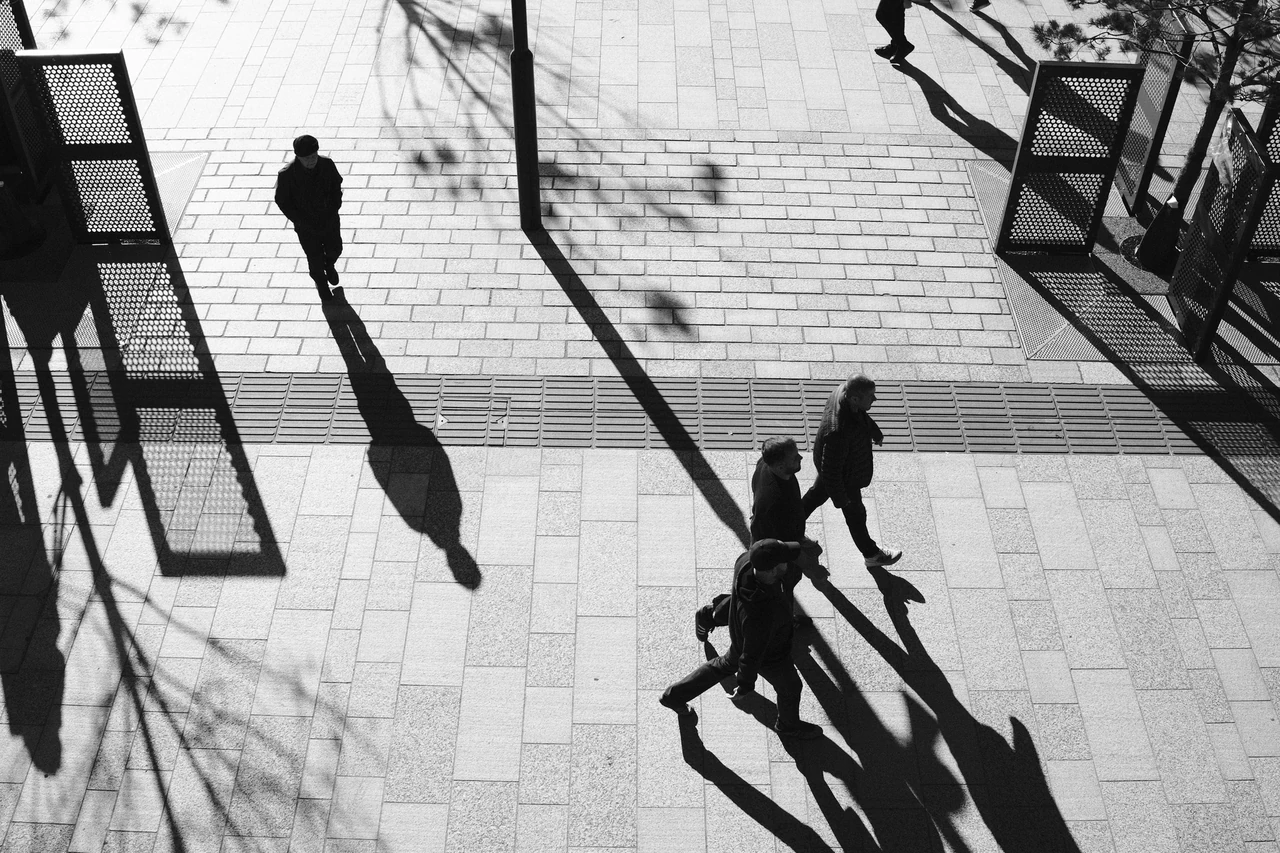
Make a picture that can survive losing colour
Look for a light subject against a dark area, or a dark figure breaking a lighter ground. Two very different colours can become similar greys. If the photograph depends entirely on a red object beside a green one, decide what will carry that relationship in monochrome.
A monochrome preview can train your attention. With many conventional colour-sensor RAW workflows it changes the preview without discarding the RAW colour data, but check your actual camera and software. A dedicated monochrome sensor is a different system. Do not assume one menu choice behaves identically everywhere.
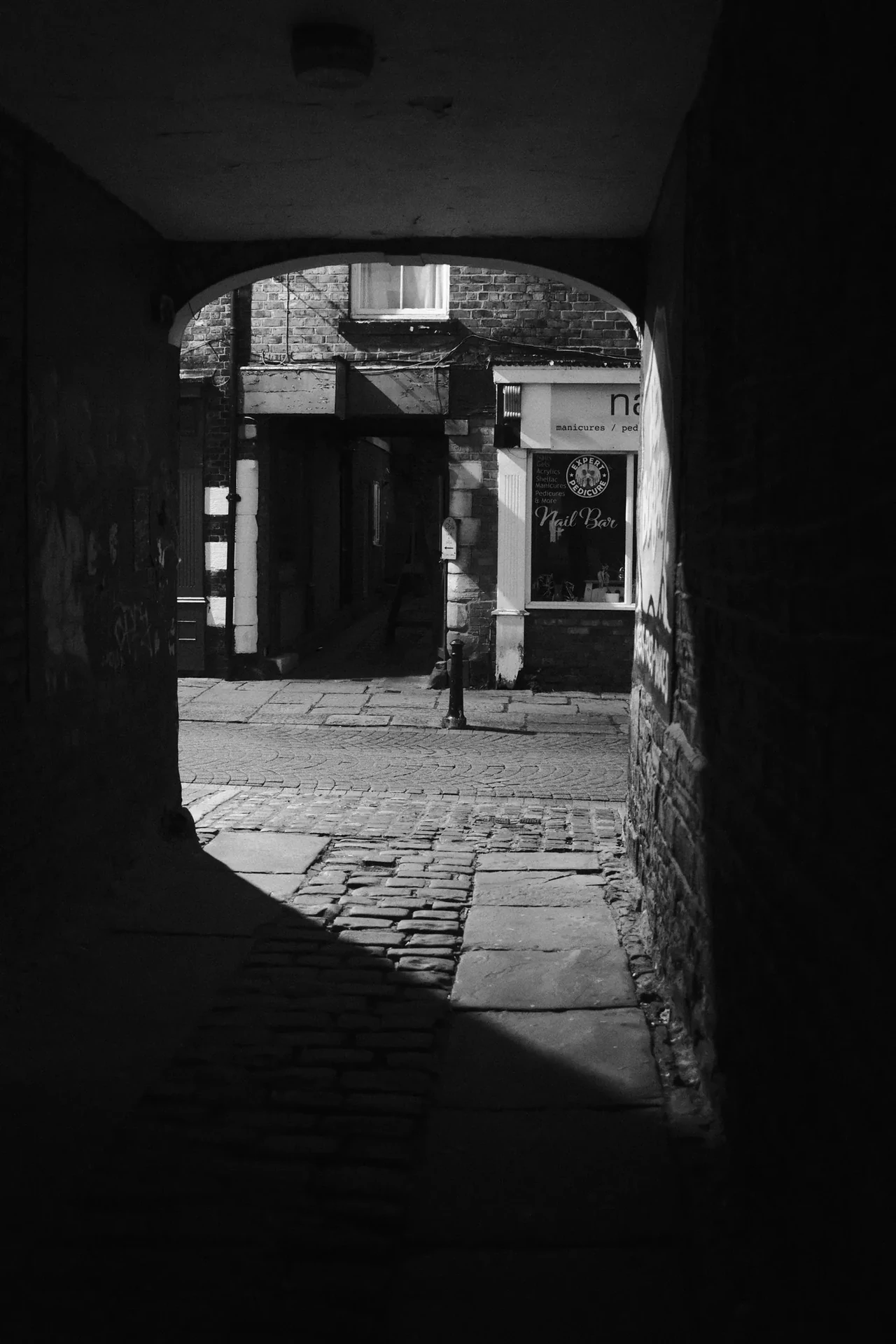
A doorway edits the street
The darkness of the passage works like a frame around the brighter doorway beyond. It removes distractions before any editing software gets involved. Watch the boundary between those tones: that edge does much of the compositional work, even when there is very little happening.
Doorway off Burscough Street · Photograph © Mark C GrantBuild the hierarchy before the texture
In the shadow photograph, the extensions of the figures occupy the paving as strongly as the figures themselves. Follow those directions. Decide what needs to separate. A useful monochrome edit strengthens a relationship you can point to.
Start with a restrained version. Set overall brightness, check important highlights, then decide how dark the darkest area should be. Adjust middle tones so the intended subject remains legible. Compare at a normal viewing size. A histogram is a diagnostic aid, not a composition judge.
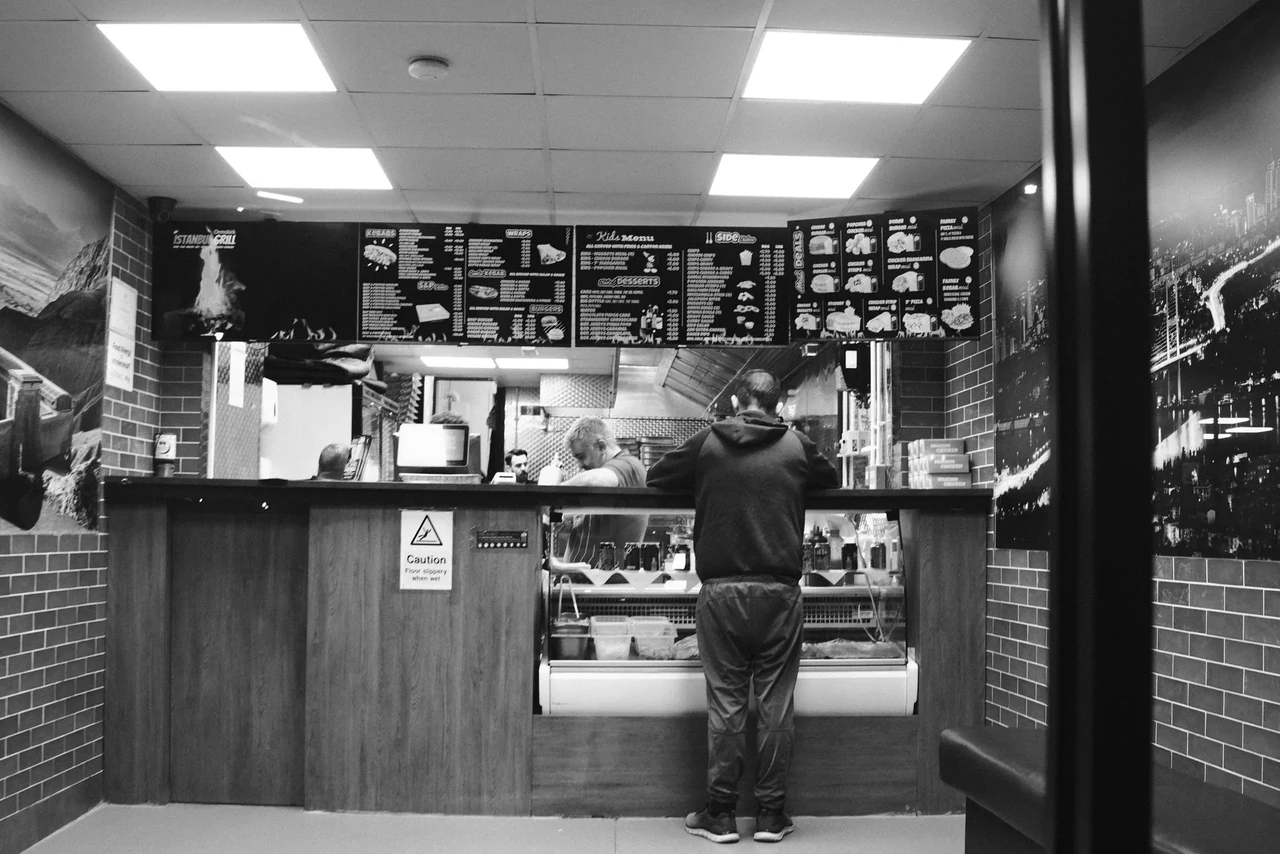
Light with somewhere to go
The illuminated counter creates a small stage. The person standing there gives that light a scale and a reason to matter. Look at the bright rectangles around them and decide which one pulls your eye first. This is a useful exercise in hierarchy, not an invitation to lift every shadow.
At the Takeaway Counter · Photograph © Mark C GrantWatch, then try
Rangefinder Routes: Zurich with Phil Penman

Watch the relationship between a position in the street and the finished frame, then the digital editing choices. Decide which part of the picture was made by waiting and which by processing.
Three versions, one reason
Make a restrained, a harder and a softer interpretation of the same frame. Keep subject and geometry unchanged. Put them together and ask which best directs attention. A hard treatment may suit a fractured scene; it can also flatten three useful layers into one black lump.
Grain and denoising are choices about rendering. Judge whether they help the picture at its intended size. Texture cannot rescue a missing gesture. Nor is a clean file automatically false or a noisy one automatically sincere. The capture, content and presentation deserve separate questions.
Keep a clear boundary around what happened
Preserve an untouched original and use reversible edits. Tonal work and a monochrome conversion interpret a captured scene. Adding a person, replacing a sky or removing a meaningful element changes the depicted content. If you make constructed work, describe it as such.
For this documentary course, keep the people and scene intact. Caption known facts and disclose material changes. The point is not a contest in suffering through bad files. It is allowing a viewer to understand what kind of image they are receiving.
Review your photographs
- Does the subject separate without relying on colour?
- Did your edit preserve useful layers and important detail?
- Can you explain the treatment without saying only “dramatic”?
If it is not working yet
If every surface shouts, reduce the strongest treatment and rebuild emphasis. If the image still lacks a relationship, return to the next walk rather than adding another preset.
Practical guidance from Captured Moment. Starting points to test in your own work, not universal camera settings.
Take this to the discussion.
A question, an example, a picture that proves us wrong. Specific beats loud.
Open the conversation ↗